Site Improvements: Learning what I don't know
Quality of life
So, since I first posted I have learned a few things! First, I complained that it was annoying to push to github every time I wanted to see how changes looked. Turns out, I can just run a local server:
PS> bundle exec jekyll serveThis then starts a local server which I can access in my browser with the link in the output
    #Various warnings omitted
    Run in verbose mode to see all warnings.
    done in 0.869 seconds.
    Auto-regeneration: enabled for 'C:/Users/Nevin/Documents/GitHub/Nevin-Thinagar.github.io'
    Server address: http://127.0.0.1:4000/
    Server running... press ctrl-c to stop.
This is much faster and easier to use than pushing changes and waiting to see if formatting shows up properly. I still need to fully make my text editing in Vscode flow nicely since I only have spellcheck right now with Code Spell Checker. However, I often find that I make other typos so something more comprehensive might be useful.
Getting sidetracked
In fact, while writing this, I decided to do just that. I downloaded the Vale VS Code extension, a tool that is almost certainly far more capable than I need it to be. Getting it set up was a bit of a process since I didn’t initially realize that the extension was only a way of integrating the original tool, Vale CLI, into VS Code rather than a self-contained extension. To do this, I first had to install Chocolatey1, which to the best of my understanding is like pip but for Windows2 instead of Python. Then, I installed Vale CLI:
PS> choco install valeI still had some issues with the extension since I needed to add some stuff to my website repo. Namely, a .vale.ini file:
StylesPath = styles
MinAlertLevel = suggestion
Packages = Google, write-good

[*.markdown]
BasedOnStyles = Vale, Google, write-good
I also needed a styles\ folder which stores the packages that Vale uses. I could have set this up globally on my system, but I don’t think I will be using Vale for anything other than my website, so I think it’s fine. I’ve put the styles\ folder in the .gitignore for this repo, but I have left the .vale.ini file in case I update it in the future. I think I will have to do this at some point, since it’s currently a little overzealous, especially for the tone of this blog.
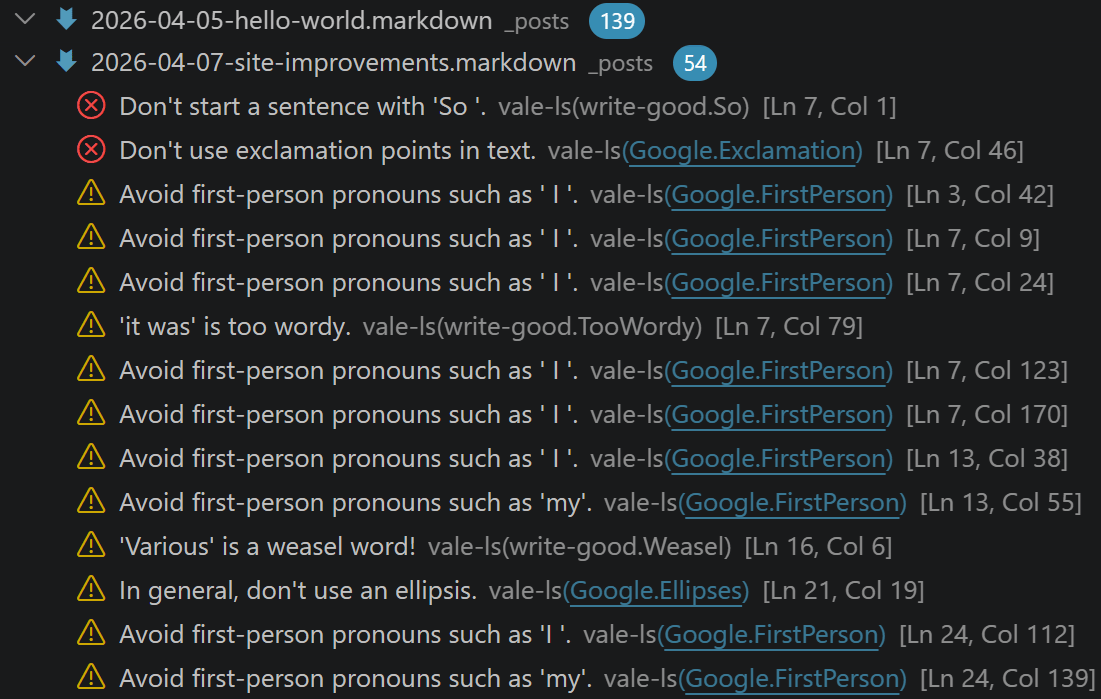
Regardless, at least silly non-spelling mistakes should now be much easier to catch while writing in VS Code.
Note: I’m coming back here to add that I have resolved this issue by adding Google.FirstPerson = NO to .vale.ini, so I no longer have multiple grammar suggestions in every sentence.
Back on track
It was at this point that I realized that I made a list of features that I wanted to add in the previous blog post, and successfully spent around 2 hours not adding them3. So I started with implementing comments.
Or so I thought I would when I wrote that sentence. Turns out, comments are quite involved compared to the other changes I want to make to the website. I suppose this makes sense considering that I need to take in user input and add it to the website. From what I can gather, this either entails using some kind of 3rd party service to host and update the comments with my website linking to them (kind of like the images on this website). Or, I would need to add the ability for a part of my website to push changes to the website repository (which sounds scary).
There seem to be several existing solutions following either of these philosophies. But I think more consideration needs to be taken before implementing a specific solution to make sure the commenting system isn’t too dependant on external services while being safe for the repo.
So for now, let’s move on to the next feature: search.
Derailed again
Buuuut, of course it wouldn’t be that simple. Updating the website to add a search bar required overriding the default layouts from Minima. Now, as I mentioned in my last post, I wanted to hold off on really customizing the website until Minima V3 was released. This was mainly motivated by the large banner at the top of the README saying that there would be non-backwards-compatible changes. However, at this point, with the number of dead-ends I was running into because of these changes, I decided to just YOLO4 it and point my website to the master branch of the Minima git repository. Another thing that motivated this choice was the fact that Minima has apparently been “getting ready to transition to V3” since 2019, so I’m assuming the current master branch is stable enough fot my needs. This was simple enough to implement, although it took a few attempts to set it up to work both on my local Jekyll server and on Github Pages. The way I implemented it was by adding
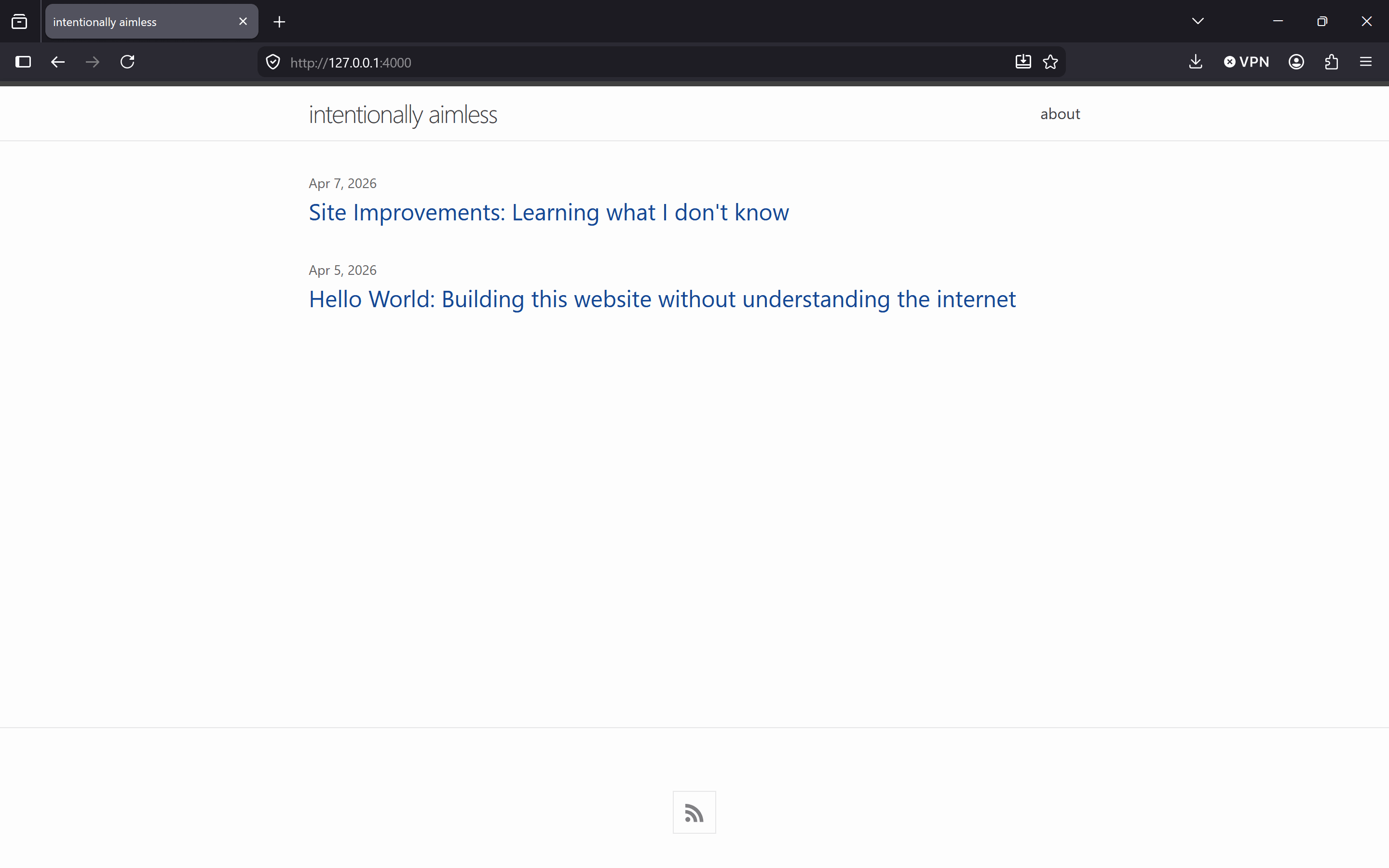
gem "minima", github: "jekyll/minima", branch: "master"to the Gemfile in my website repo, replacing the line that was previously pointing to the older version of Minima. And Voila, my website look was updated! At some point, once Minima V3 is released, I will stop pointing my website’s theme at the master branch (if I remember). But until then, I think this will be stable enough for me. This also caused some minor issues since the formatting of the config file changed, but this was pretty straightforward to resolve5.
To be continued…
Now, I was going to do this and then go forward with actually editing the files in _layout and _includes to work and look like I want them to. However, I want to write another blog post about a little project that I worked on, so those changes will have to wait for another time.
-
With an extraordinarily suspicious command:
Set-ExecutionPolicy Bypass -Scope Process -Force; [System.Net.ServicePointManager]::SecurityProtocol = [System.Net.ServicePointManager]::SecurityProtocol -bor 3072; iex ((New-Object System.Net.WebClient).DownloadString('https://community.chocolatey.org/install.ps1'))↩ -
Do I really need to link Windows? ↩
-
Although, I suppose what I did could fall under “More things I haven’t thought of yet” ↩
-
I did not know this song existed until I was looking for something silly to link here. I did, however, know of The Strokes. ↩
-
Update: it took and hour to fix one issue and I now need to use
bundle exec jekyll serve --config _config_dev.ymlto run my website locally ↩